Local LLMs on Intel Arc: Why Running AI at Home Just Makes Sense
A cheap gaming GPU, some clever model architecture, and a coding agent that runs on local AI. Here's what I've learned hosting LLMs on an Intel Arc B580.
The $250 GPU That Punches Above Its Class
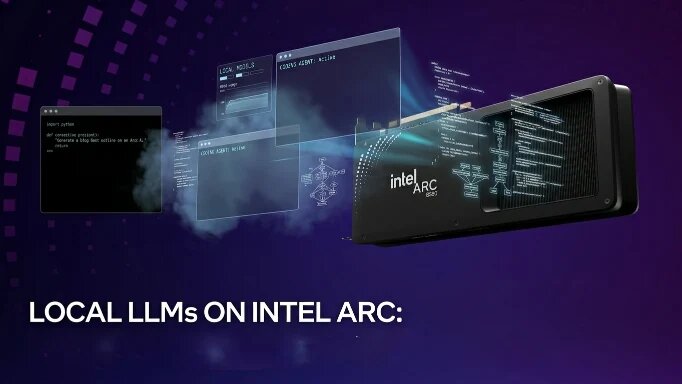
The Intel Arc B580 is probably the best-kept secret in local AI right now. It’s a ~$249 gaming card with 12GB of VRAM, built on the new Xe2 architecture with 12 Xe-cores. It punches above its class. That’s RTX 4060 and RX 7600 level performance for half the price. It even supports hardware ray tracing and XeSS upscaling if you’re gaming on the side. When I first got it, I wasn’t expecting much. I just wanted something that could run local models without breaking the bank.
But it actually works. Really works. 30+ tokens per second on the right models, on a GPU that costs less than what most people spend on a single month of API calls to OpenAI.
Nvidia has the easier path, no question. But if you’re willing to put in a little extra work, Intel Arc is more than viable. The performance you get for that price is impressive.
Why Run LLMs Locally?
Three reasons. First, cost. Once you’ve got the hardware, the inference is free. No per-token pricing, no rate limits, no API key dramas. You run it as much as you want.
Second, privacy. Your code, your data, your prompts: none of it leaves your machine. For anyone building things with sensitive code or proprietary information, this matters a lot.
Third, control. You pick the model. You control the context window. You decide when to upgrade. No one is deprecating your endpoint or changing the pricing model on you.
For me, it started as an experiment. Now it’s my daily driver for coding work. That transformation happened faster than I expected.
The Setup: llama.cpp and Intel Arc
Setting up llama.cpp on Intel Arc is… not as smooth as Nvidia. I’ll be honest about that. You need the SYCL backend build, which means installing the Intel oneAPI toolkit and making sure your drivers are sorted. It’s extra work, but it’s absolutely doable, and once it’s running, it’s solid.
I use the llama.cpp server with the built-in web interface. It gives me a quick way to test prompts without setting up anything fancy. Just fire up the server, open localhost, and I’m chatting with the model.
The key is making sure you’ve got the right build: one that supports Intel’s GPU acceleration properly. Once that’s sorted, it’s smooth sailing. I’ve been running it for months now without issues. The support is active and improving, but it’s still maturing compared to Nvidia’s CUDA ecosystem. Manage your expectations accordingly.
I also run everything on a Tailscale network so all my computers can talk to each other on a secure local network, whether I’m home or not. Means I can access my local AI setup from anywhere — phone, laptop, another machine — without exposing anything to the public internet. It’s one of those things you set up once and forget about.
How I Use Local LLMs: The Pi Coding Agent
I’ve built what I call the Pi coding agent — a local AI setup that’s actually useful for real development work.
The architecture is pretty simple but powerful. There’s an orchestrator that talks to the user, then dispatches work to different specialized agents: a scout, a planner, a builder, and a reviewer. Each agent has its own LLM that it uses independently.
These agents run stateless. The orchestrator holds all the long-term memory and context. Each agent just gets fresh context for its specific task, does its job, and returns the result. This way, I’m not loading massive context windows into every single model. I can use smaller, faster models for the agents themselves.
For the builder agent specifically, I use the Qwen 3.6-35B-A3B model. This is the sparse MoE version — 35 billion total parameters, but only 3 billion active at any time thanks to 128 experts with top-k gating. That’s the magic trick: only the relevant experts load into VRAM, so it runs on my 12GB card like it was made for it. It’s fast — 32K context — and handles code generation really well. If you’re a proficient engineer, the larger Qwen models are even better. I’ve used both extensively.
The orchestrator has the memory. The agents just execute. It’s a clean separation that makes the whole system run efficiently on consumer hardware.
Vision Models and Traffic Cams
One unexpected win: Qwen has built-in vision capabilities. I built a traffic cam analysis prototype just to test it out, and it actually worked. Here’s the setup: I’ve got access to traffic cams around Georgetown. I can grab a 10-second clip from any camera, feed it to the vision model, and get a detailed explanation of what’s happening: how many humans are in frame, what they’re wearing, whether they’re walking or riding, what vehicles are there, the time of day, whether it’s raining. I can take screenshots every 1-2 seconds and analyze those too.
The key detail is that this all runs locally. No per-frame API costs, so testing is completely free. It’s all in testing phase right now, but running this thing locally makes sense. A cheap gaming GPU running a vision model locally, analyzing video feeds in real-time. That used to require cloud API calls or serious hardware. Now it’s sitting in my office.
The implications for local AI applications are huge. This is just the beginning. There are so many use cases that become viable once you’ve got a decent local vision model running.
Qwen vs Gemma: My Honest Take
I’ve tested both extensively. For coding specifically, I think Qwen 3.6 is better than Gemma 4. That’s my honest take. I upgraded from the 3.5 series to the 3.6 series and it’s even better. I don’t know what those guys at Qwen are doing, but it’s working really good.
Gemma is solid. But Qwen just gets code better in my experience. The output is cleaner, the reasoning feels more aligned with how developers actually think, and the token speed on Intel Arc is respectable.
Gemma might have its place for general tasks, but for coding work? I’m Team Qwen all the way.
Models Bigger Than VRAM? MoE Makes It Work
Now here’s something cool that not everyone knows about. The Mixture of Experts (MoE) architecture is a game-changer for folks with limited VRAM, and the Qwen 3.6 implementation shows exactly why.
With Qwen’s sparse MoE approach, you’ve got 128 expert parameters in the model, but only a handful (the top-k) get activated for any given token. The gating mechanism decides which experts to pull in, so you’re not loading the full 35 billion parameters into GPU memory. Just the 3 billion or so that are actively being used. The shared components and gating logic sit in regular RAM, while the GPU handles the inference work on the active experts.
This means you can run models that are bigger than your available VRAM. My 12GB card runs models I genuinely shouldn’t be able to run. It’s not magic — there’s a reason the experts get loaded selectively. But it’s a clever trick that makes local AI much more accessible than it used to be.
Give It a Shot
If you’ve got an Intel Arc card sitting around, or you’re thinking about picking one up, it’s worth setting up. The ecosystem has matured a lot. llama.cpp works well. The models are good. And the cost-to-performance ratio is hard to beat right now.
You don’t need a server room. You don’t need a monster rig. You just need willingness to tinker and a cheap GPU that nobody’s talking about enough.
Start small. Get llama.cpp running. Try a Qwen model. Build something. And then come back and tell me I’m right.
Written from Guyana, where running AI on a gaming GPU feels like getting away with something.
About The Author
Ken Taylor
Self-taught Guyanese software engineer and entrepreneur from Georgetown, Guyana building tech solutions for the Caribbean.
# Related Posts
I Joined a Hackathon to Meet Guyana’s Developers. Somehow, We Came Second.
I signed up for Innovation Challenge 2026 to meet Guyanese developers. Three days, almost no sleep, one prototype, and a second-place finish later, I got exactly what I came for.
From Internet Cafes to VPS: How I Became a Programmer in Guyana
A journey from bash scripts on borrowed computers to building Luge Tech and self-hosting everything. The story of learning to code in Guyana's internet cafe era.